 |
| 2. Media Offline |
- I learnt that in order to go on Final Cut Pro, you need to connect the video drive to the Mac.
- Secondly, it is always important and a must to put all your footage in your video drive, otherwise some of the footage when opening Final Cut Pro would appear as 'Media Offline' in a large red box.
- I already knew this from using the program before, but I learnt how to cut clips, you should input and output pressing 'i' and 'o' on the keyboard when editing a clip.
- I learnt how to crop the shots on Final Cut Pro to remove unnecessary spacing.

4. CROPPING - I learnt how to change the contrast and brightness of the shots
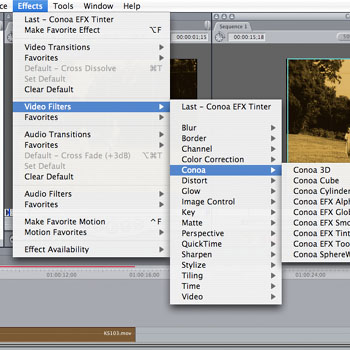
- I learnt how to add effects on the shots, one of them my team mate used on her skin was called the 'glow effect'.
- Also learnt how to create a split screen which was vital to our opening as we wanted to show the similarities and differences between the two main characters in our opening.
- I learnt how to change the speed of the shots so we can use both fast forward and slow motion in particular scenes
- I learnt how to convert it to mp4 file
- I learnt how to import music
- I also learnt other transitions such as 'fade in and out'
- I learnt how to add text in the shots.
 |
| 8. CHANGE SPEED |
 |
| 12. ADD TEXT |
 |
| 6. ADD EFFECTS |

No comments:
Post a Comment